AI Automation Examples in Business (With Real-World Scenarios)
AI automation is no longer limited to experimental pilots or isolated chatbot projects. Across industries, businesses are using AI to improve operations, reduce manual work, and make workflows more responsive.
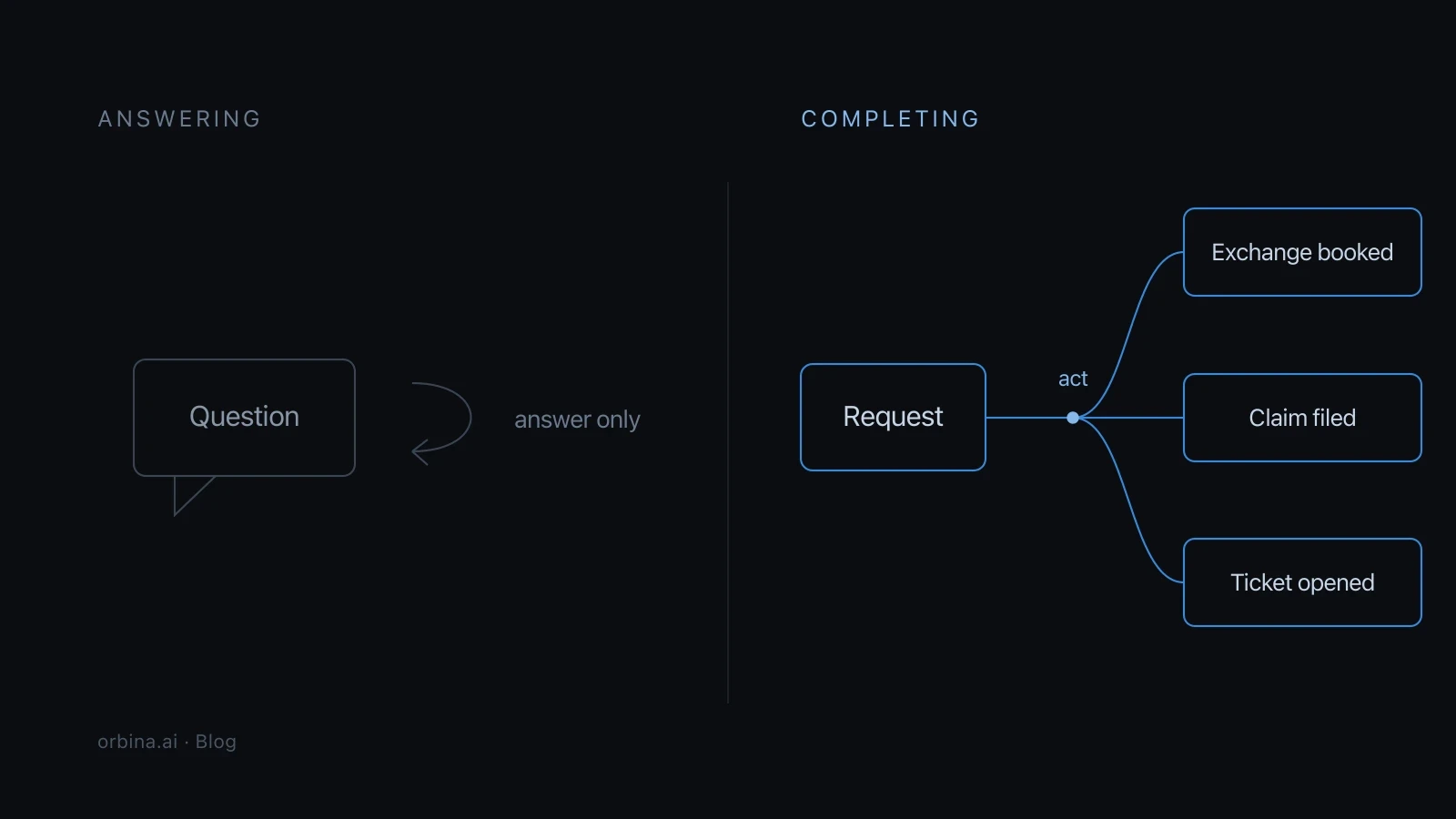
What makes AI automation different from traditional automation is its ability to handle context, interpret inputs, and support decisions. Instead of only repeating predefined actions, AI automation can help systems react more intelligently to changing situations.
If you are looking for practical AI automation examples in business, the most useful place to start is with real workflows. In this guide, we’ll explore where AI automation is creating value and why it is becoming more central to modern operations.
What Is AI Automation in Business?
AI automation refers to the use of artificial intelligence to improve or automate business processes. This can include classification, prediction, natural language understanding, routing, document analysis, and workflow orchestration.
In practice, AI automation helps businesses move beyond simple “if this, then that” logic. It allows systems to interpret signals, evaluate context, and support more adaptive execution.
That is why AI automation is being used not only in customer-facing interactions, but also in back-office operations, risk analysis, onboarding, and internal workflows.
Why Businesses Are Investing in AI Automation
The main reason businesses adopt AI automation is not just efficiency. It is adaptability.
Organizations want systems that can:
reduce repetitive work
improve response speed
handle growing complexity
support more consistent decisions
scale without adding manual overhead
This is especially important in environments where process volume is high and exceptions are common.
Real-World AI Automation Examples in Business
The impact of AI automation becomes more visible when applied to specific workflows.
1. Customer Support Ticket Routing
Instead of sending every support inquiry to a generic queue, AI can classify incoming requests by intent, urgency, sentiment, or account status. This improves routing accuracy and reduces handling time.
2. Order Verification and Fraud Checks
In e-commerce and payments, AI automation can review transaction patterns, customer history, and risk indicators before triggering approval, review, or escalation.
3. Document Validation
Businesses use AI to read invoices, forms, applications, and other documents, extract relevant fields, and validate the data against internal rules.
4. Lead Qualification
AI automation helps sales teams evaluate inbound leads, enrich contact data, identify priority accounts, and assign the right next step.
5. Employee Onboarding
Internal operations also benefit from AI. Businesses use AI automation to trigger onboarding workflows, verify submitted documents, assign tasks, and guide employees through structured steps.
AI Automation Across Business Functions
AI automation is not tied to a single department. It increasingly supports multiple business functions at once.
Business Area | Example of AI Automation |
|---|---|
Customer Support | Ticket triage, automated replies, escalation routing |
Finance | Invoice validation, anomaly detection, reconciliation support |
Sales | Lead scoring, follow-up suggestions, CRM enrichment |
Operations | Workflow orchestration, approval routing, monitoring |
Human Resources (HR) | Onboarding, document checks, internal request handling |
This cross-functional value is one reason why AI automation is becoming a broader operational capability rather than a niche tool.
What Makes AI Automation Effective?
Not all AI automation projects deliver equal value. The strongest use cases typically share a few characteristics:
high process volume
repetitive or semi-repetitive decision points
delays caused by manual review
data available from multiple systems
clear success metrics
Businesses often get the most value when they begin with workflows that are frequent, measurable, and operationally important.
Common Mistakes to Avoid
As interest grows, many companies try to automate too much too quickly.
Common mistakes include:
automating poorly defined workflows
relying on AI without enough human oversight
focusing only on the interface, not the workflow behind it
ignoring integration needs across systems
measuring activity instead of real outcomes
AI automation works best when it is tied to a clear operational problem, not just a technology trend.
The best AI automation examples in business are not the most futuristic ones. They are the ones that improve real operational workflows.
From customer routing and fraud detection to onboarding and document validation, AI automation is helping businesses move from manual coordination to more adaptive systems.
That shift is not just about doing work faster. It is about making operations smarter, more scalable, and more resilient.
Frequently Asked Questions
What is AI automation in business?
AI automation in business refers to using artificial intelligence to improve or automate workflows, decisions, and operational tasks across functions like support, finance, sales, and HR.
What are common AI automation examples in business?
Common examples include ticket routing, fraud detection, document validation, lead scoring, onboarding automation, and workflow orchestration.
How is AI automation different from traditional automation?
Traditional automation follows fixed rules, while AI automation can analyze context, interpret inputs, and support more adaptive decisions.
Which departments benefit most from AI automation?
Customer support, finance, sales, operations, and HR often benefit the most because they manage repetitive and decision-heavy workflows.
Can small businesses use AI automation?
Yes. Small businesses can use AI automation for support workflows, lead handling, and operational tasks, depending on process complexity and budget.
Does AI automation replace employees?
Not completely. In most cases, AI automation reduces repetitive work and helps teams focus on more valuable or complex tasks.
What makes an AI automation use case successful?
Strong use cases usually involve high process volume, measurable outcomes, repeated decision points, and clear operational value.
Is AI automation only for customer support?
No. AI automation is used across many business functions, including finance, compliance, onboarding, and internal operations.
What are the risks of AI automation?
Risks include weak governance, poor process design, inaccurate outputs, and automation without proper monitoring or escalation rules.
How should businesses get started with AI automation?
They should begin with one or two high-impact workflows that are repetitive, measurable, and operationally important, then expand gradually.